
Types of USB cables are the different connector styles used for charging and data transfer between devices. The main ones are USB-A, USB-B, Mini USB, Micro USB, USB 3.0 Micro-B, and USB-C.
In this guide, you’ll learn how each USB cable type looks, what devices use it, and how to tell one from another. You’ll also get a simple overview first, so the names feel easier to recognize.
In This Page
USB Cable Types at a Glance
USB cables are easiest to understand by connector shape. That matters because the plug shape tells you what port it fits, while speed and charging support depend on the USB standard and the cable itself.
- USB-A: Flat rectangular connector used on many computers, chargers, and older accessories.
- USB-B: Squarish connector commonly used with printers and some larger peripherals.
- Mini USB: Older small connector found on some cameras, MP3 players, and older handheld devices.
- Micro USB: Slim connector used on many older phones, speakers, e-readers, and small accessories.
- USB 3.0 Micro-B: Wider Micro USB style used on some older external hard drives and high-speed devices.
- USB-C: Small oval reversible connector now used on many newer phones, tablets, laptops, and docks.
Main USB Connector Types
USB connector types describe the physical shape of the plug. That is different from USB versions like USB 2.0, USB 3.2, or USB4, which describe speed and performance.
USB-A
USB-A is the classic flat, rectangular connector. You still see it on desktop PCs, older laptops, TVs, game consoles, chargers, and many everyday accessories.
USB-B
USB-B is larger and more square than USB-A. It is best known for printers, and it also appears on some external hard drives and other desktop-style devices.
Mini USB
Mini USB is an older small connector. It was often used on digital cameras, MP3 players, and some older phones, mostly with USB 1.1 and USB 2.0 speeds.
Micro USB
Micro USB is smaller and thinner than Mini USB. It became common on older smartphones, Bluetooth devices, e-readers, and GPS units.
USB 3.0 Micro-B
This connector looks like a wider version of Micro USB. It was designed for higher-speed connections and is often found on older external hard drives.
USB-C
USB-C is a small oval connector that plugs in either way. It supports modern devices with thinner designs, and it is now common on phones, tablets, laptops, and docking stations.
USB Connector Type vs USB Version
Many people mix up USB connector type and USB version, but they are not the same thing. The connector type tells you the shape of the plug, while the version tells you the speed, power support, and other features.
For example, USB-C is a connector type. USB 2.0, USB 3.2, and USB4 are version standards. So, a USB-C cable may look modern but still support only basic charging or slower data transfer.
- Connector type: The physical plug shape, such as USB-A, USB-B, Micro USB, or USB-C
- USB version: The performance standard, such as USB 2.0, USB 3.2, or USB4
- What the version affects: Data speed, charging ability, and sometimes video support
This difference matters because two cables can look similar and still perform very differently. That is especially true with USB-C cables.
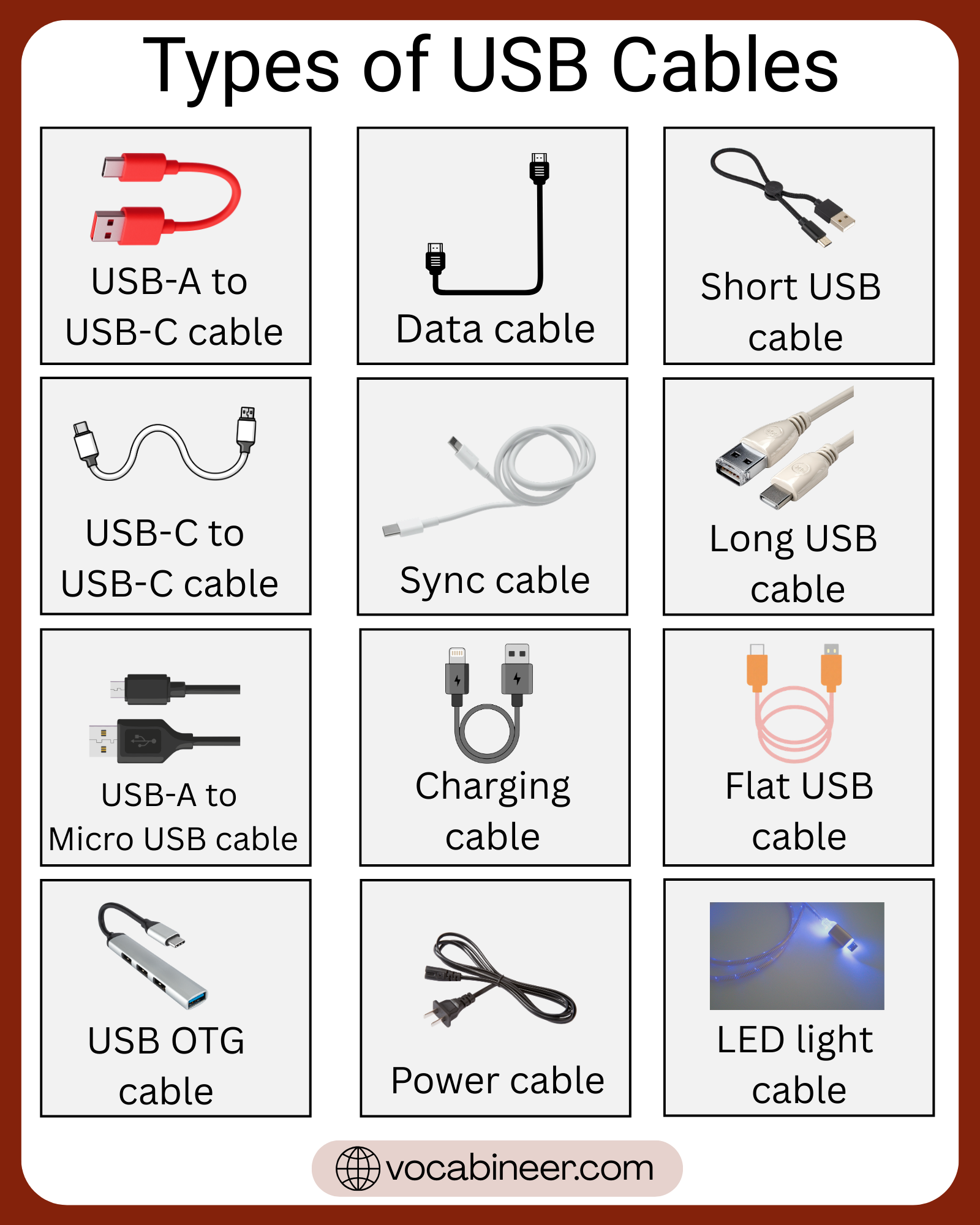
USB Cable Names by Connector Pair
USB cables are often named by the connector on each end. This makes it easier to understand what the cable connects and where it is usually used.
- USB-A to USB-B: This cable often connects a computer to a printer, scanner, or other larger peripheral. One end is the flat USB-A plug, and the other is the square-shaped USB-B plug.
- USB-A to Micro USB: This was one of the most common charging cables for older Android phones and many small devices. It also works with Bluetooth speakers, power banks, and e-readers that use Micro USB.
- USB-A to USB-C: This cable connects newer USB-C devices to older USB-A chargers or computer ports. It is common for charging phones, tablets, and accessories when the power adapter still has a USB-A port.
- USB-C to USB-C: This is a common modern cable for newer phones, tablets, laptops, and fast chargers. It is often used for faster charging, quicker data transfer, and in some cases video output.
How to Identify Different USB Cable Types
You can usually identify a USB cable by looking at the shape and size of the connector. First, check whether the plug is flat, square, thin, wide, or oval. Then compare that shape to the common USB connector families.
A flat rectangle is usually USB-A. A square-style plug is usually USB-B. A very small older plug may be Mini USB or Micro USB, while a small oval reversible plug is USB-C. If the Micro USB-style end looks wider than normal, it may be USB 3.0 Micro-B.
When a cable has two different ends, identify each side separately. That helps you name the full cable correctly, such as USB-A to Micro USB or USB-C to USB-C.
Devices That Use Each USB Cable Type
Different devices use different USB cable types based on age, size, and power needs. So, matching the cable to the device is one of the easiest ways to identify the right one.
- USB-A: Common on desktop computers, older laptops, wall chargers, game consoles, TVs, and power banks.
- USB-B: Usually found on printers, scanners, and some larger desktop devices.
- Mini USB: Often used on older digital cameras, MP3 players, and a few older handheld gadgets.
- Micro USB: Common on older Android phones, Bluetooth speakers, e-readers, GPS devices, and small accessories.
- USB 3.0 Micro-B: Mostly used on older external hard drives and some older high-speed storage devices.
- USB-C: Found on many newer smartphones, tablets, laptops, wireless earbuds cases, external SSDs, monitors, and docking stations.
USB Cable Types Comparison Table
This table gives a quick way to compare the main USB cable types by shape and common use.
| USB cable type | Connector shape | Common devices |
|---|---|---|
| USB-A | Flat and rectangular | Computers, chargers, consoles, TVs |
| USB-B | Square with beveled corners | Printers, scanners |
| Mini USB | Small and slightly thicker than Micro USB | Older cameras, MP3 players |
| Micro USB | Thin and compact | Older phones, speakers, e-readers |
| USB 3.0 Micro-B | Wider two-part Micro USB shape | Older external hard drives |
| USB-C | Small oval and reversible | New phones, tablets, laptops, docks |
Summary of USB Cable Types
USB cables come in several connector types, and each one fits different devices. The most common types are USB-A, USB-B, Mini USB, Micro USB, USB 3.0 Micro-B, and USB-C.
To identify the right cable, focus first on the shape of the connector. Then check the device it connects to and whether you need charging, data transfer, or both. That way, choosing the correct USB cable becomes much easier.
FAQs
The main types of USB cables are USB-A, USB-B, Mini USB, Micro USB, USB 3.0 Micro-B, and USB-C.
No. USB-C is a connector shape, while USB 3.0 is a speed standard. A USB-C cable can support different USB versions.
Look at the connector shape. USB-A is flat, USB-B is square, Micro USB is thin, and USB-C is small, oval, and reversible.
Many older Android phones, Bluetooth speakers, e-readers, GPS devices, and small accessories still use Micro USB.
USB-C is the most common modern USB cable type because it is reversible, compact, and widely used on newer phones, tablets, and laptops.
Read More