

Electronic items are devices that use electricity and electronic circuits to perform different tasks. They appear in homes, schools, offices, kitchens, shops, and public places, from smartphones and computers to cameras, routers, smart devices, and digitally controlled appliances.
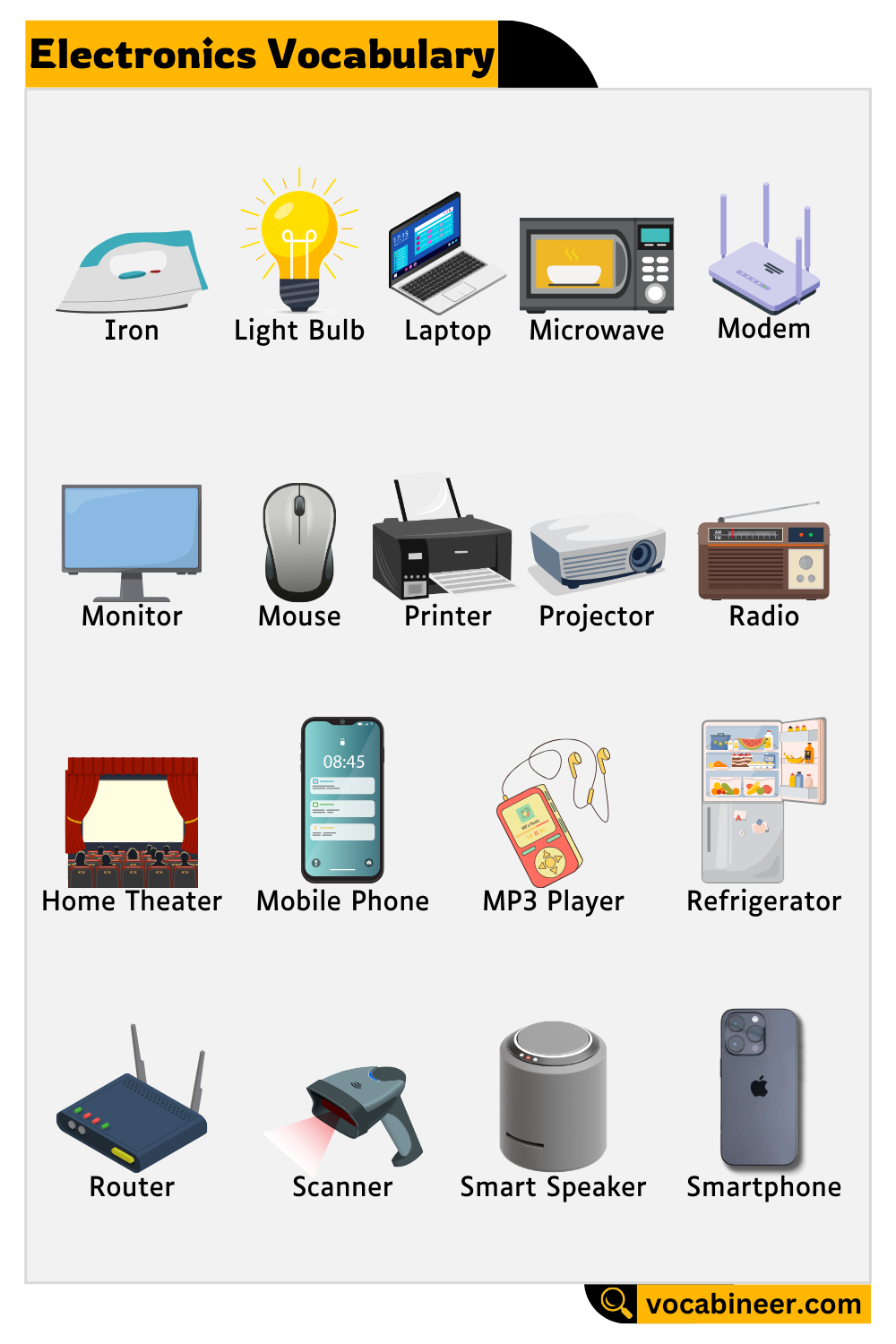
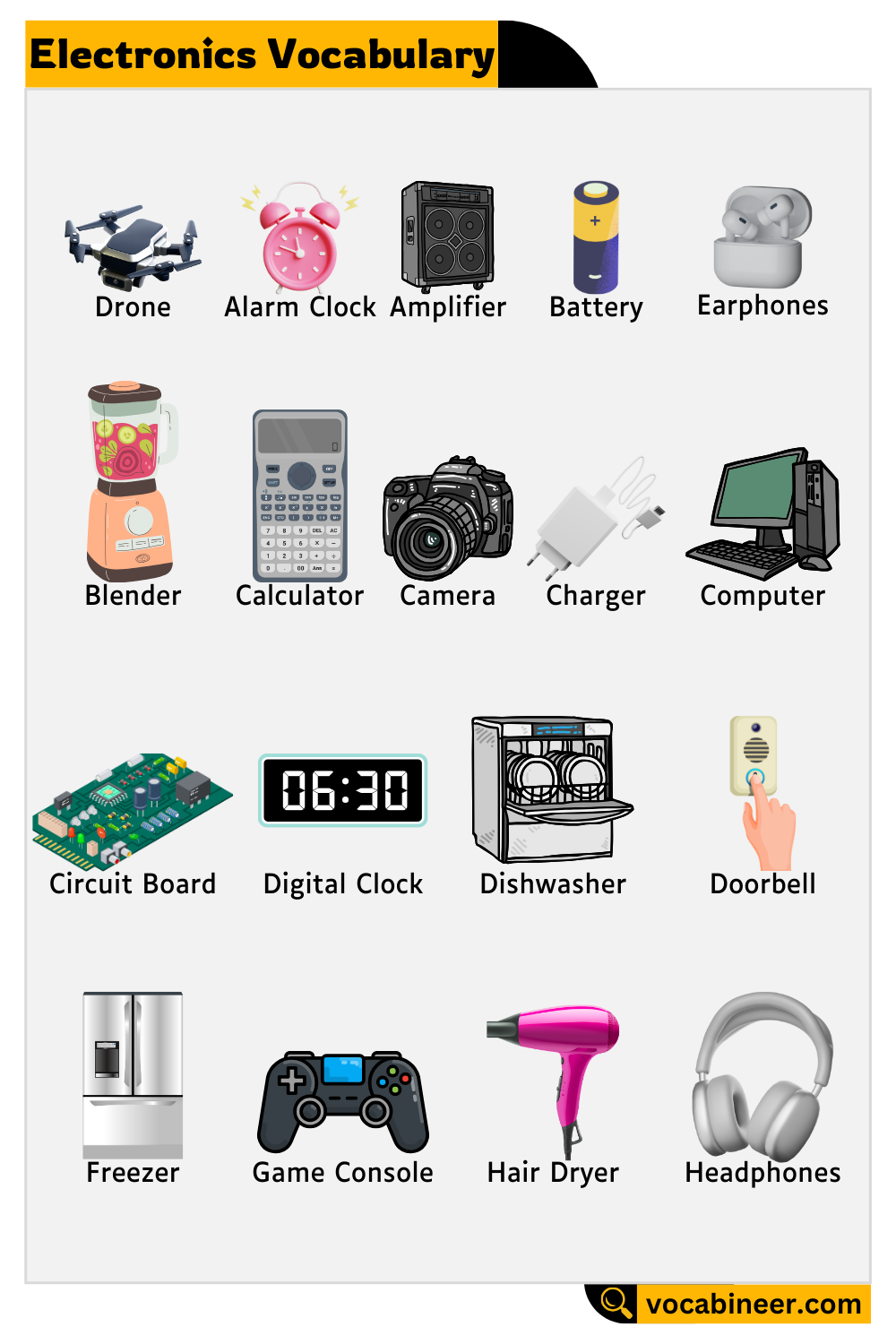
Learning electronic items names in English with pictures helps students and English learners recognize everyday devices and build practical vocabulary. This guide covers 100 electronic and electrically powered items, grouped by use so that each name is easier to understand, remember, and use in conversation.
In This Page
Common Electronic Items and Their Uses
These electronic items are among the easiest to recognize because people use them regularly for communication, study, work, entertainment, and everyday tasks.
1. Smartphone
A handheld electronic device used for calls, messages, apps, photography, internet browsing, and many other daily activities.
2. Laptop
A portable computer with a built-in screen and keyboard, commonly used for study, work, entertainment, and internet access.
3. Tablet
A touchscreen device that is larger than a smartphone but generally smaller and lighter than a laptop.
4. Television
An electronic display used for watching programs, movies, news, streaming services, and other video content.
5. Desktop Computer
A computer designed mainly for use at a desk, usually with a separate monitor, keyboard, and mouse.
6. Monitor
A display screen that shows text, images, video, and other information from a computer or connected device.
7. Keyboard
An input device with keys used for typing letters, numbers, commands, and other information.
8. Mouse
A handheld computer input device used to move the pointer, select items, and control on-screen actions.
9. Printer
A device that produces physical copies of digital documents, photographs, and other files.
10. Scanner
An electronic device that converts printed documents or photographs into digital files.
11. Headphones
A listening device worn over or around the ears for hearing music, speech, games, and other audio privately.
12. Wireless Earbuds
Small cordless earphones that connect wirelessly to smartphones, tablets, computers, and other devices.
13. Digital Camera
An electronic camera that records photographs and videos as digital files.
14. Projector
A device that displays enlarged images or video onto a wall or projection screen.
15. Radio
An electronic device that receives audio broadcasts through radio signals.
16. Router
A networking device that directs data between devices and allows several devices to share an internet connection.
17. Power Bank
A rechargeable portable battery used to supply power to smartphones and other compatible devices.
18. Smartwatch
A wrist-worn device that can display notifications, track activity, show the time, and run compatible apps.
19. Calculator
An electronic device used to perform mathematical calculations.
20. Game Console
A dedicated electronic system designed mainly for playing video games.
Personal and Portable Electronics
Portable electronics are designed to be carried easily. Many use rechargeable batteries and connect wirelessly to phones, networks, or other devices.
21. E-Reader
A lightweight electronic device designed mainly for reading digital books and documents.
22. Fitness Tracker
A wearable device that records information such as steps, activity, exercise, sleep, and heart rate.
23. Portable Game Console
A handheld gaming system that includes its own controls and a portable display.
24. Portable Bluetooth Speaker
A rechargeable wireless speaker used for playing audio from smartphones, tablets, and computers.
25. Digital Voice Recorder
A compact device used to record speech, interviews, lectures, meetings, and other sounds.
26. Portable Media Player
A small electronic device used for storing and playing digital audio or video files.
27. GPS Navigator
A portable device that uses satellite positioning to provide location information and travel directions.
28. Action Camera
A small durable digital camera designed for recording activities, sports, travel, and outdoor events.
29. Portable Hotspot
A small wireless device that shares a mobile internet connection with laptops, tablets, and other devices.
30. Electronic Translator
A handheld or portable digital device used to translate words or phrases between languages.
Computer Devices and Accessories
Computers work with many electronic accessories for storage, input, output, communication, networking, and creative tasks.
31. Webcam
A small digital camera used with computers for video calls, online classes, meetings, and streaming.
32. External Hard Drive
A portable storage device used for keeping files, backups, photographs, videos, and other digital data.
33. External SSD
A compact solid-state storage device that stores and transfers digital files without using moving internal parts.
34. USB Flash Drive
A small portable storage device that connects to a USB port for saving or transferring files.
35. Computer Speakers
Electronic speakers that reproduce sound from a computer.
36. Microphone
A device that converts sound into an electrical or digital signal for recording, communication, or broadcasting.
37. Network Switch
A networking device that connects several wired devices within the same local network.
38. Modem
A device that connects a home or office network to an internet service.
39. Laptop Cooling Pad
A computer accessory with built-in fans that improves airflow beneath a laptop.
40. Gaming Controller
A handheld input device used to control video games on consoles, computers, and compatible mobile devices.
41. Graphics Tablet
A flat electronic input device that allows users to draw or write digitally with a stylus.
42. Docking Station
A device that connects a laptop or tablet to several accessories, displays, storage devices, or network connections through one hub.
43. Memory Card Reader
An electronic accessory used to read data from memory cards used in cameras, phones, and other devices.
44. External Optical Drive
A portable device that reads or writes CDs, DVDs, or other supported optical discs.
45. Barcode Scanner
An electronic device that reads printed barcodes and sends the information to a computer or point-of-sale system.
Entertainment and Media Electronics
Entertainment electronics help people watch, listen to, record, stream, or interact with digital media.
46. Smart TV
A television with built-in internet connectivity and apps for streaming and online services.
47. Soundbar
A long, compact speaker system designed to improve television audio.
48. Home Theater System
A group of audio and video components designed to create a more immersive home-viewing experience.
49. Blu-ray Player
An electronic device designed to play Blu-ray discs and, in many cases, DVDs.
50. DVD Player
A device used to play DVDs through a television or compatible display.
51. Streaming Device
A small electronic device that connects to a television and provides access to online streaming services.
52. Set-Top Box
A device connected to a television for receiving, decoding, or delivering television and media services.
53. AV Receiver
An audio-video receiver manages sound and video signals between entertainment devices, speakers, and displays.
54. Digital Photo Frame
An electronic display designed to show digital photographs, often as a rotating slideshow.
55. Karaoke Machine
An electronic system that combines music playback, microphone input, and sometimes a screen for lyrics.
56. VR Headset
A wearable electronic headset that displays immersive virtual environments in front of the user’s eyes.
57. Digital Radio
A radio receiver designed to receive digital audio broadcasts rather than only traditional analog signals.
Home and Kitchen Appliances
Many household appliances are primarily electrical devices, but modern versions often contain electronic sensors, displays, timers, and control circuits. For everyday vocabulary learning, they are commonly discussed alongside other electronic items.
58. Refrigerator
An appliance that keeps food and drinks cold and helps preserve them for longer periods.
59. Microwave Oven
An appliance that heats or cooks food using microwave energy.
60. Washing Machine
A powered household appliance that washes clothes automatically.
61. Clothes Dryer
An appliance that dries wet clothes by circulating heated or unheated air.
62. Air Conditioner
A system that cools and controls indoor air temperature.
63. Electric Fan
A powered device with rotating blades that circulates air around a room.
64. Vacuum Cleaner
An appliance that removes dust and dirt from floors and other surfaces using suction.
65. Dishwasher
A household appliance that automatically washes dishes, glasses, and utensils.
66. Electric Kettle
A small appliance that heats water quickly using electricity.
67. Toaster
An electric appliance used to brown slices of bread.
68. Blender
A kitchen appliance with rotating blades used to mix, blend, or puree food and liquids.
69. Food Processor
A kitchen appliance used for chopping, slicing, shredding, mixing, and preparing ingredients.
70. Rice Cooker
An electric appliance designed to cook rice automatically.
71. Coffee Maker
A kitchen appliance used to prepare brewed coffee.
72. Juicer
An electric appliance designed to extract juice from fruits or vegetables.
73. Induction Cooktop
A cooking appliance that uses electromagnetic energy to heat compatible cookware.
74. Air Fryer
A countertop appliance that cooks food by circulating hot air around it.
75. Electric Oven
An oven that uses electric heating elements to bake, roast, or cook food.
76. Water Purifier
A device that treats drinking water using filters, membranes, ultraviolet light, or other purification methods depending on the model.
77. Electric Pressure Cooker
A digitally or electrically controlled cooking appliance that cooks food under pressure.
Power and Charging Devices
Power devices supply, store, regulate, or distribute electricity to other electronics and appliances.
78. Battery Charger
A device used to restore electrical energy to rechargeable batteries.
79. Surge Protector
A device designed to help protect connected electronics from sudden voltage increases.
80. UPS
A UPS, or uninterruptible power supply, provides temporary backup power when the main electricity supply fails.
81. Inverter
An inverter converts direct current, or DC, into alternating current, or AC.
82. Voltage Stabilizer
A device that helps maintain a more stable voltage supply for connected equipment.
83. Smart Plug
A connected electrical plug that allows compatible appliances to be controlled through an app, timer, or voice system.
84. Wireless Charger
A charging device that transfers power to compatible electronics without a direct cable connection to the device.
85. Power Strip
A device with several electrical sockets that allows multiple devices to connect to one wall outlet.
Smart Home and Security Devices
Smart home electronics use network connections, sensors, automation, or remote controls to manage household functions and security.
86. Smart Speaker
A connected speaker that can play audio and respond to compatible voice commands.
87. Smart Display
A smart speaker-style device that also includes a screen for video, information, calls, and home controls.
88. Smart Bulb
A connected light bulb that users can often control through an app, schedule, automation, or voice assistant.
89. Smart Doorbell
A connected doorbell that may include a camera, microphone, speaker, motion detection, and phone notifications.
90. Smart Lock
An electronic door lock operated through a code, app, card, fingerprint, or another digital method.
91. Security Camera
An electronic camera used to monitor indoor or outdoor areas.
92. Robot Vacuum
An automated floor-cleaning device that navigates around rooms using sensors and electronic controls.
93. Smart Thermostat
A connected temperature-control device that can automatically or remotely adjust heating and cooling settings.
94. Smart Smoke Detector
A connected safety device that detects smoke and can send alerts to a phone or other smart system.
95. Smart Sensor
A connected sensor that can detect conditions such as motion, temperature, light, water, or whether a door is open.
School, Office, and Business Electronics
Schools, offices, libraries, shops, and other workplaces use specialized electronic devices for presenting information, processing transactions, identifying users, and managing documents.
96. Document Camera
An electronic camera mounted above a work surface to display documents, books, or objects on a larger screen.
97. Interactive Whiteboard
A large touch-sensitive electronic display used for teaching, presentations, meetings, and collaborative work.
98. Label Printer
A compact printer designed to produce labels for products, files, packages, shelves, and equipment.
99. POS Terminal
A point-of-sale terminal is an electronic system used in shops and businesses to process purchases and payments.
100. Biometric Scanner
A biometric scanner identifies or verifies people using physical features such as fingerprints or facial characteristics.
Electronic Items Used at Home, School, and Office
Grouping devices by location can make vocabulary easier to remember because learners can connect each word with a familiar environment.
| Place | Common Electronic Items |
|---|---|
| Home | Television, Router, Smart Speaker, Security Camera, Game Console |
| School | Laptop, Tablet, Projector, Calculator, Interactive Whiteboard |
| Office | Desktop Computer, Monitor, Printer, Scanner, Webcam |
| Kitchen | Microwave Oven, Coffee Maker, Blender, Air Fryer, Rice Cooker |
| Shop | Barcode Scanner, POS Terminal, Label Printer, Security Camera |
| Personal Use | Smartphone, Smartwatch, Earbuds, E-Reader, Power Bank |
Some items naturally belong to more than one group. For example, laptops appear in homes, schools, and offices, while tablets may support both study and entertainment.
Input and Output Electronic Devices
Computer-related electronics can also be grouped according to how they interact with information.
Input devices send information to a computer or digital system. Common examples include:
- Keyboard
- Mouse
- Scanner
- Webcam
- Microphone
- Gaming Controller
- Graphics Tablet
- Barcode Scanner
- Biometric Scanner
Output devices present information from a system. Examples include:
- Monitor
- Printer
- Computer Speakers
- Projector
- Headphones
- Label Printer
Some devices perform both functions. For example, an interactive whiteboard can display information while also receiving touch input.
Portable and Fixed Electronic Items
Another useful way to learn the vocabulary is to separate devices by how easily people can move them.
Portable electronic items include smartphones, laptops, tablets, smartwatches, wireless earbuds, cameras, e-readers, power banks, and portable speakers.
Fixed or mainly stationary items include desktop computers, televisions, refrigerators, washing machines, projectors, home theater systems, and interactive whiteboards.
However, this distinction is practical rather than technical. Some devices can be moved even though people usually leave them in one place.
Difference Between Electronic and Electrical Items
Electronic and electrical items both use electricity, but they use it in different ways. The table below shows the main differences in simple terms.
| Feature | Electronic Items | Electrical Items |
|---|---|---|
| Main Function | Process, control, store, display, or transmit information | Convert electrical energy into heat, light, motion, or mechanical work |
| Main Components | Electronic circuits, chips, sensors, processors, and control boards | Motors, heating elements, switches, wires, coils, and other electrical parts |
| Typical Use | Communication, computing, entertainment, control, and data processing | Heating, cooling, lighting, moving, and powering mechanical tasks |
| Common Examples | Smartphone, laptop, television, router, digital camera | Electric fan, kettle, heater, toaster, simple electric motor |
| Control System | Often uses digital or electronic controls | May work with basic electrical switches or controls |
| Information Processing | Usually processes or controls signals and information | Usually focuses more on using electrical power directly |
| Smart Features | Often includes software, sensors, memory, or connectivity | Basic electrical devices may have few or no smart features |
| Modern Overlap | Many electronic devices also contain electrical components | Many modern electrical appliances also include electronic circuits |
| Easy Example | A smartphone processes data and communicates electronically | An electric kettle mainly uses electricity to produce heat |
Many modern products combine both technologies. For example, a washing machine uses an electric motor for movement but may also contain electronic sensors, displays, and control circuits.
How to Learn Electronic Item Names Easily
Learning 100 device names at once can feel difficult, so grouping them by function makes the vocabulary easier to remember.
Start with devices you see every day, such as a smartphone, television, laptop, router, refrigerator, and washing machine. Then connect less familiar words with categories such as computer accessories, smart-home devices, kitchen appliances, or office equipment.
Pictures are especially useful because many electronic items have distinctive shapes. Matching a word with its appearance and everyday purpose creates a stronger memory than memorizing the name alone.
It also helps to use the words in short sentences, such as “The router connects our devices to the network” or “The scanner turns the document into a digital file.” This places each vocabulary word in a natural context.
Questions People Ask About Electronic Items
Ten common examples are a smartphone, laptop, television, tablet, printer, digital camera, router, smartwatch, headphones, and game console.
Homes commonly contain televisions, smartphones, routers, computers, smart speakers, security cameras, game consoles, and streaming devices. Modern households also use many appliances with electronic controls.
Electrical devices mainly use electricity to create heat, light, motion, or other physical effects. Electronic devices use circuits to control, process, store, transmit, or display information. Many modern products combine both systems.
Common examples include laptops, desktop computers, tablets, printers, scanners, projectors, webcams, document cameras, calculators, and interactive whiteboards.
Picture-based vocabulary lists work well because learners can connect each name with a recognizable object. Grouping items by place or function and using the words in short sentences can also improve recall.
Read More
